Just Manager Forum
Official Just Manager forum
You are not logged in.
- Topics: Active | Unanswered
#1 2026-05-13 20:41:15
- navigat0r
- Member
- Registered: 2013-02-13
- Posts: 191
Duplicate Delete MsgBox when using del hotkey
when deleting files from the context menu a the system messagebox pops up [OK]
when deleting files by delete hotkey the JM MsgBox and System MsgBox is shown [NOK]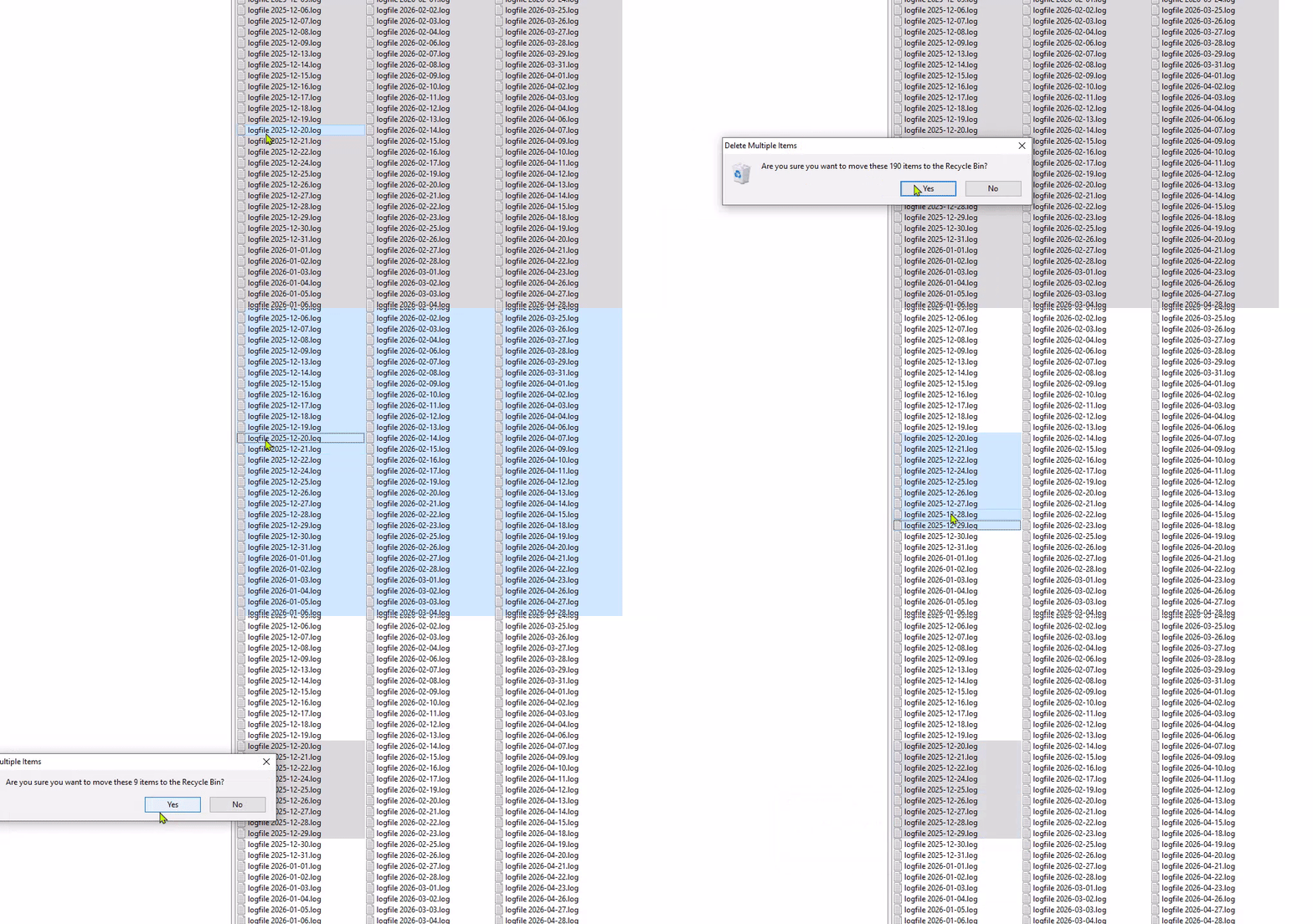
Expectation: Only show one MsgBox.
Hint to reproduce: the files reside inside a mounted drive letter, encrypt a file, then mount it as drive.
What is the ERROR about?
ERROR 13.05.2026 22:33:19.390 10872 CShellContextMenu::InvokeCommand: InvokeCommand error: Error: 2150039552, cmd: 17, unicode cmd: 17
WARN 13.05.2026 22:33:35.769 10344 CUtils::FileOperation: SHFileOperation aborted, operation: 3, what: H:\logfile
Last edited by navigat0r (2026-05-13 20:54:42)
Win10/11
Offline
#2 2026-05-14 05:37:41
Re: Duplicate Delete MsgBox when using del hotkey
Deleting via the context menu is a direct command invocation, not a file operation. It is performed via Shell and the system confirmation is displayed.
Deleting via Delete key is a file operation. During delete operation, JM displays confirmation if "Display delete confirmation" option is checked. Since you are using Shell file operations ("Use shell" is checked), operation will be performed via Shell and the system confirmation will be displayed too. With internal file operations, only JM confirmation will be displayed. You can disable JM confirmation by turning off "Display delete confirmation" option.
ERROR 13.05.2026 22:33:19.390 10872 CShellContextMenu::InvokeCommand: InvokeCommand error: Error: 2150039552, cmd: 17, unicode cmd: 17Error 2150039552 is COPYENGINE_E_USER_CANCELLED (0x80270000): user canceled command execution. I mapped COPYENGINE_E_USER_CANCELLED to the warn message. Will be in the next release.
Offline
#4 2026-05-24 13:07:39
- navigat0r
- Member
- Registered: 2013-02-13
- Posts: 191
Re: Duplicate Delete MsgBox when using del hotkey
not fixed, issue persists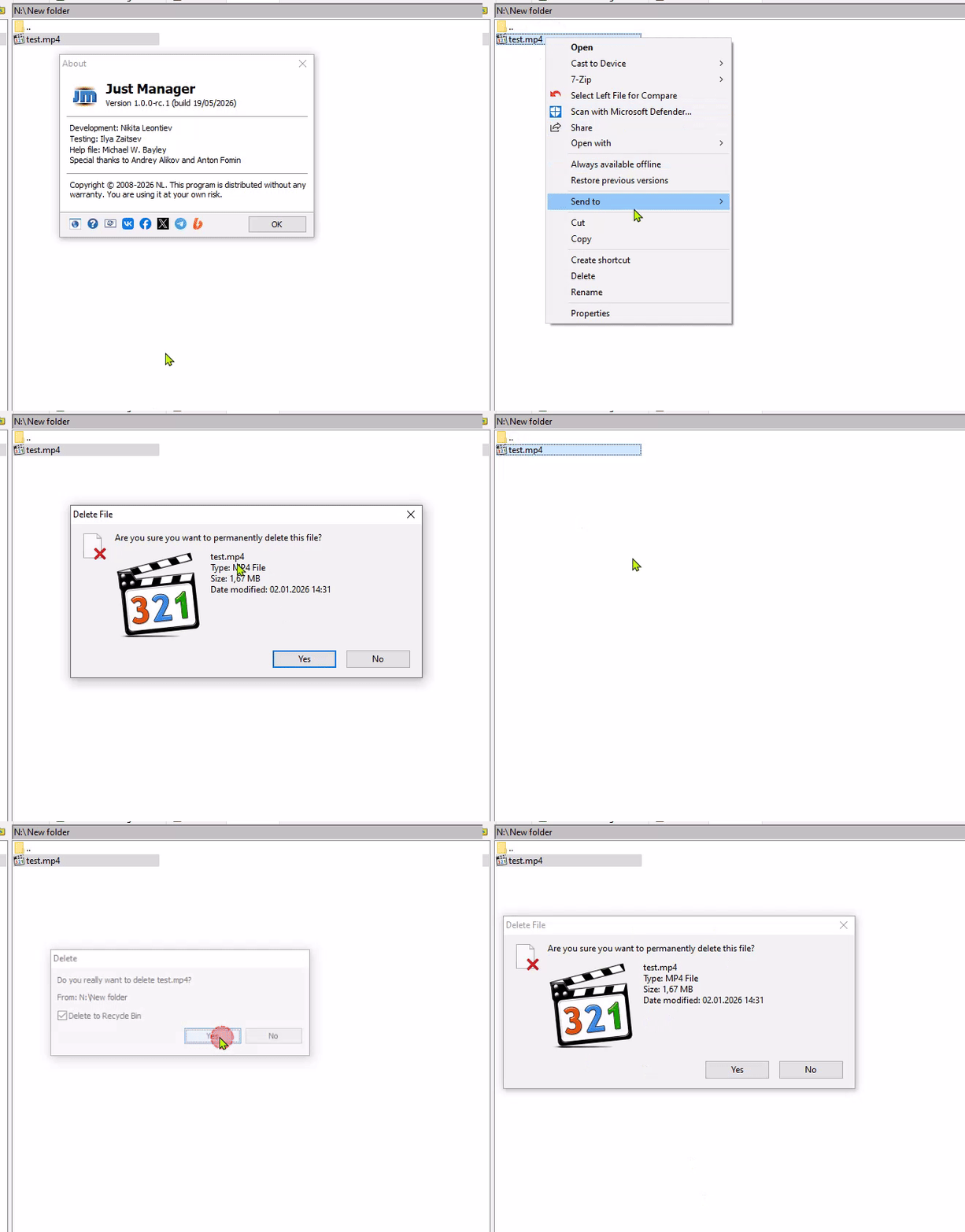
Win10/11
Offline
#5 2026-05-25 05:43:35
Re: Duplicate Delete MsgBox when using del hotkey
I meant that COPYENGINE_E_USER_CANCELLED - abort mapping added in 1.0.0-rc.1.
As I said, deleting via the context menu is a direct Shell command invocation, that's why only the system confirmation is displayed.
Deleting via Delete key is a JM file operation. Since you are using Shell file operations ("Use shell" is checked) and "Display delete confirmation" option is enabled, both JM and the system confirmations will be displayed. With internal file operations ("Use shell" is unchecked), only JM confirmation will be displayed. You can disable JM confirmation by turning off "Display delete confirmation" option.
Offline