Just Manager Forum
Official Just Manager forum
You are not logged in.
- Topics: Active | Unanswered
#1 2026-04-10 19:32:02
- navigat0r
- Member
- Registered: 2013-02-13
- Posts: 191
Toolbar Button: toggle hidden/system files/folders visibility
Greetings,
Please add a toolbar button to toggle the visibility of hidden/system files, like in FreeCommander:
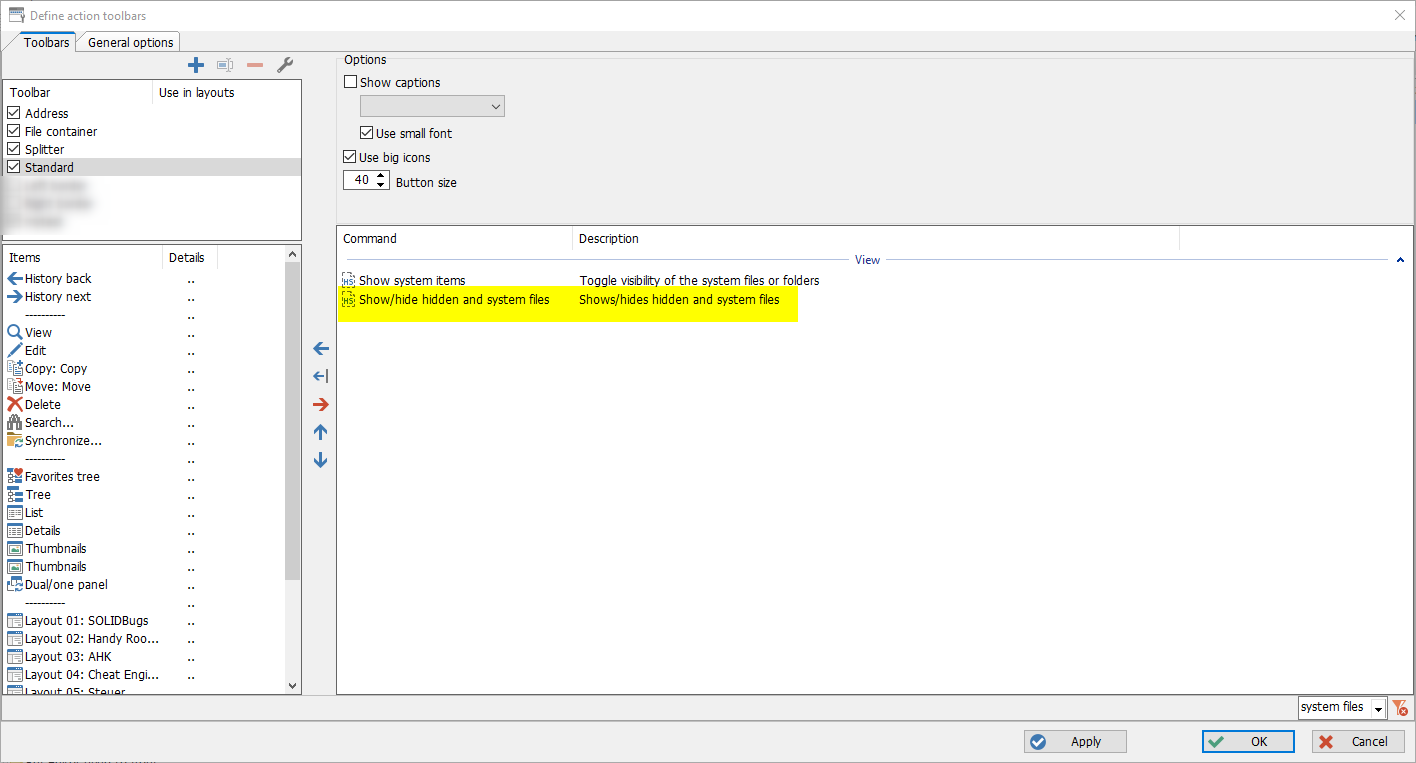
ATM hidden files like eg. desktop.ini and System Volume Information Folder are shown which is OK, but I also want an option to hide them.
Cheers
Last edited by navigat0r (2026-04-10 19:33:10)
Win10/11
Offline
#2 2026-04-11 04:47:26
Re: Toolbar Button: toggle hidden/system files/folders visibility
Currently JM has a "Show hidden files" command that can be assigned to a button/hotkey.
There are options:
add "Show system files" command
add "Show hidden/system files" command
add both
Offline
#3 2026-04-12 09:43:41
- navigat0r
- Member
- Registered: 2013-02-13
- Posts: 191
Re: Toolbar Button: toggle hidden/system files/folders visibility
thanks, I didn't think of that.
I. I only see one command "Show hidden files" using Microsoft Windows [Version 10.0.26200.6584]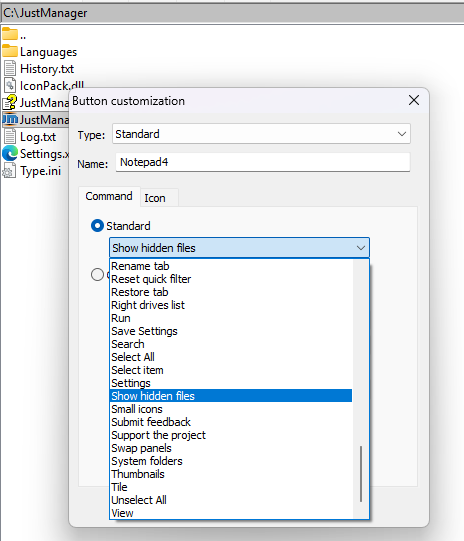
II. After adding and executing the command the ".." is removed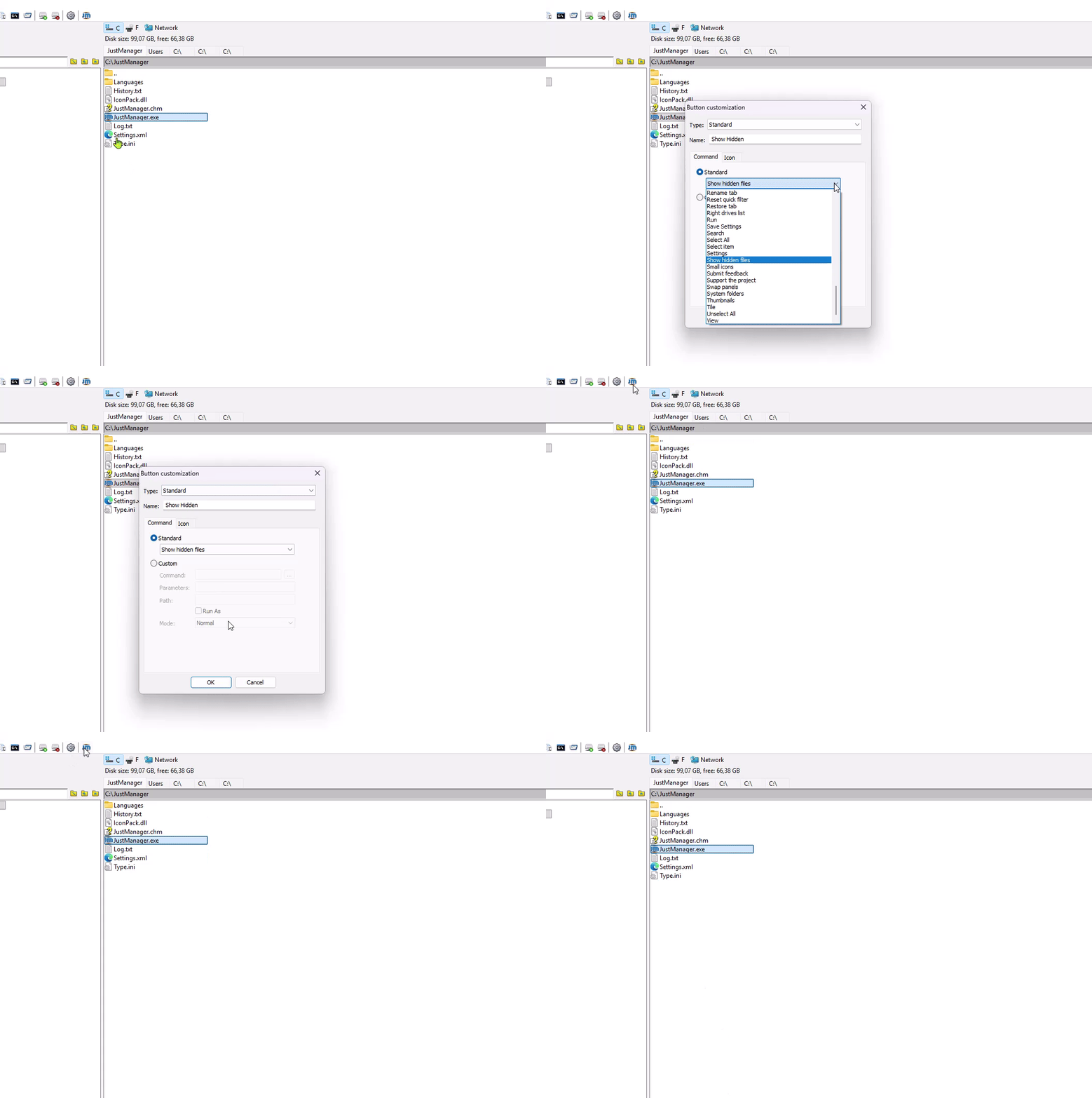
-> this is not expected!
III. Add pressed state: after pressing the button the icon should represent that as pressed state
Win10/11
Offline
#4 2026-04-12 10:46:21
- navigat0r
- Member
- Registered: 2013-02-13
- Posts: 191
Re: Toolbar Button: toggle hidden/system files/folders visibility
having a toggle state for Quick Viewer (on/off) makes also sense when adding it to the toolbar: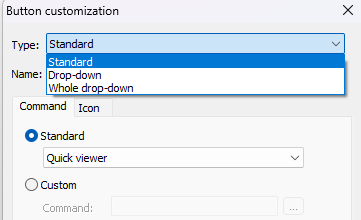
Win10/11
Offline
#5 2026-04-13 09:36:07
Re: Toolbar Button: toggle hidden/system files/folders visibility
I. I only see one command "Show hidden files" using Microsoft Windows [Version 10.0.26200.6584]
Yes, currently JM has only one "Show hidden files" command. Other commands need to be implemented. I suggested 3 options to choose from.
II. After adding and executing the command the ".." is removed
-> this is not expected!
Yes, it's a bug. Will be fixed in the next release.
III. Add pressed state: after pressing the button the icon should represent that as pressed state
having a toggle state for Quick Viewer (on/off) makes also sense when adding it to the toolbar
Currently toggle state is not supported for all such buttons. Already discussed here and here. Will be implemented in the future.
Offline