Just Manager Forum
Official Just Manager forum
You are not logged in.
- Topics: Active | Unanswered
Pages: 1
#1 2026-04-10 20:01:29
- navigat0r
- Member
- Registered: 2013-02-13
- Posts: 162
Quick View hangs
Greetings,
Steps to reproduce:
1. Activate Quick View (Ctrl+Q)
2. Select a virtual hard disk (.vhdx)
Just Manager hangs:
High CPU usage: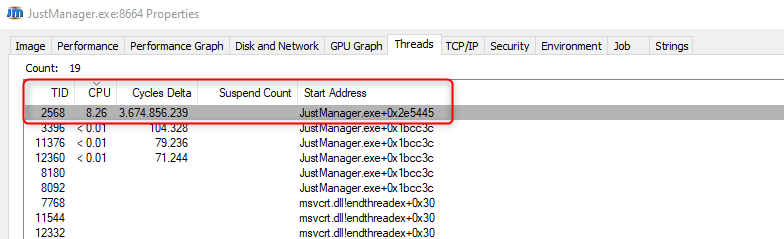
FC has no issues:
Cheers
Win10/11
Offline
#2 2026-04-10 20:29:18
- navigat0r
- Member
- Registered: 2013-02-13
- Posts: 162
Re: Quick View hangs
There is another issue with Quick viewer. After changing the max file size to eg. 1024 KB, then pressing Apply, once returning to the Setting window the max file size shows 1 KB.
Win10/11
Offline
#3 2026-04-10 20:47:24
- navigat0r
- Member
- Registered: 2013-02-13
- Posts: 162
Re: Quick View hangs
OK, the preview is broken, JM hangs also with a 150MB .mp4 file when previeing.
Win10/11
Offline
#4 2026-04-11 04:32:39
Re: Quick View hangs
Steps to reproduce:
1. Activate Quick View (Ctrl+Q)
2. Select a virtual hard disk (.vhdx)Just Manager hangs:
Quick viewer uses standard Rich Edit to display text/binary files. Rich Edit requires reading the entire file, that's why JM "hangs" during this process.
Currently you need to limit file size (Configuration > Settings... > Quick viewer > Max file size) to prevent such cases.
This is old code that needs refactoring.
There is another issue with Quick viewer. After changing the max file size to eg. 1024 KB, then pressing Apply, once returning to the Setting window the max file size shows 1 KB.
Can't reproduce. What are the steps?
OK, the preview is broken, JM hangs also with a 150MB .mp4 file when previeing.
Since the video preview is not supported in JM, it loads 150 Mb data to the Rich Edit.
Offline
#5 2026-04-12 09:32:17
- navigat0r
- Member
- Registered: 2013-02-13
- Posts: 162
Re: Quick View hangs
steps to reproduce: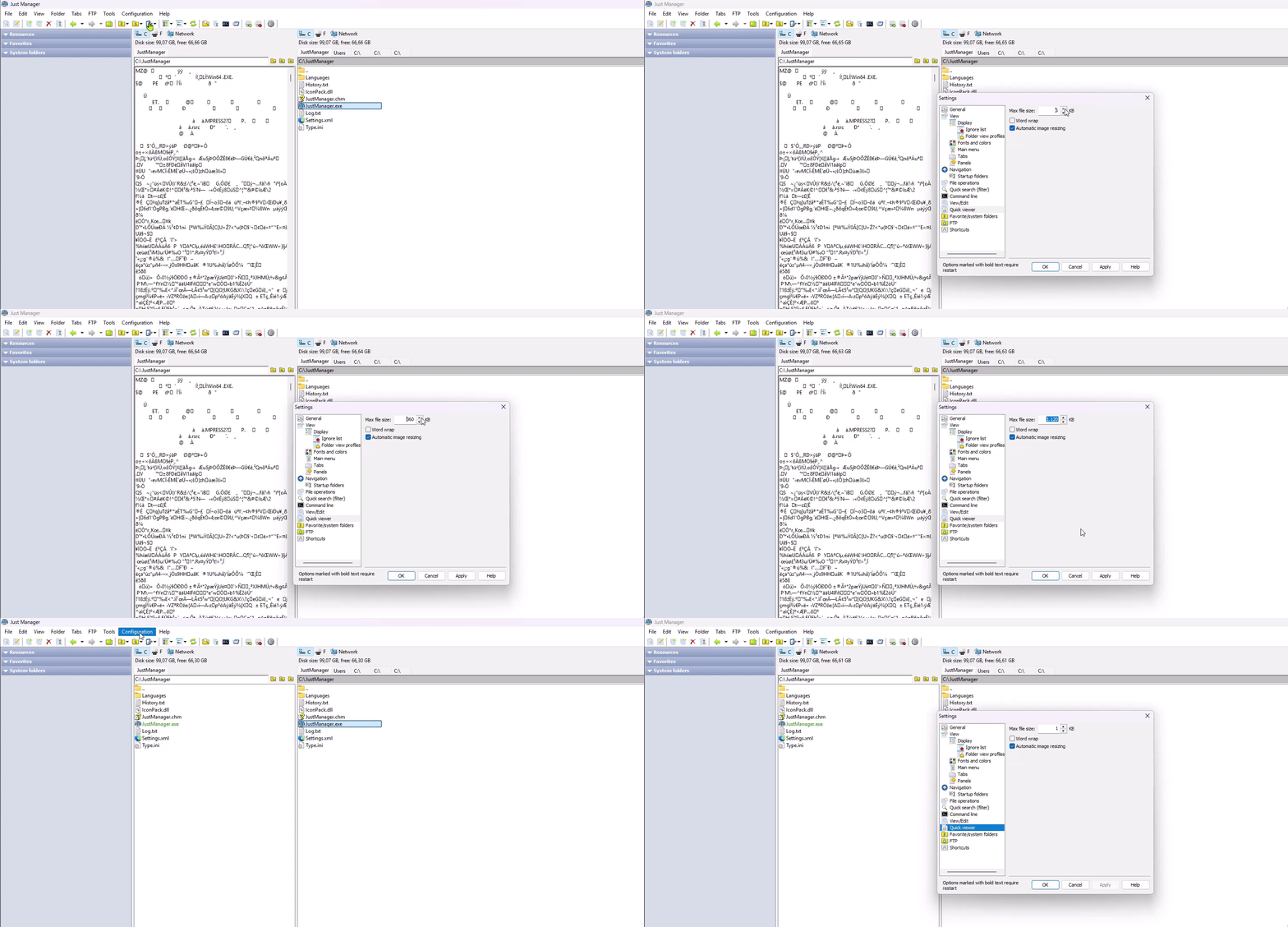
Win10/11
Offline
Pages: 1