Just Manager Forum
Official Just Manager forum
You are not logged in.
- Topics: Active | Unanswered
#1 2026-04-10 19:32:02
- navigat0r
- Member
- Registered: 2013-02-13
- Posts: 161
Toolbar Button: toggle hidden/system files/folders visibility
Greetings,
Please add a toolbar button to toggle the visibility of hidden/system files, like in FreeCommander:
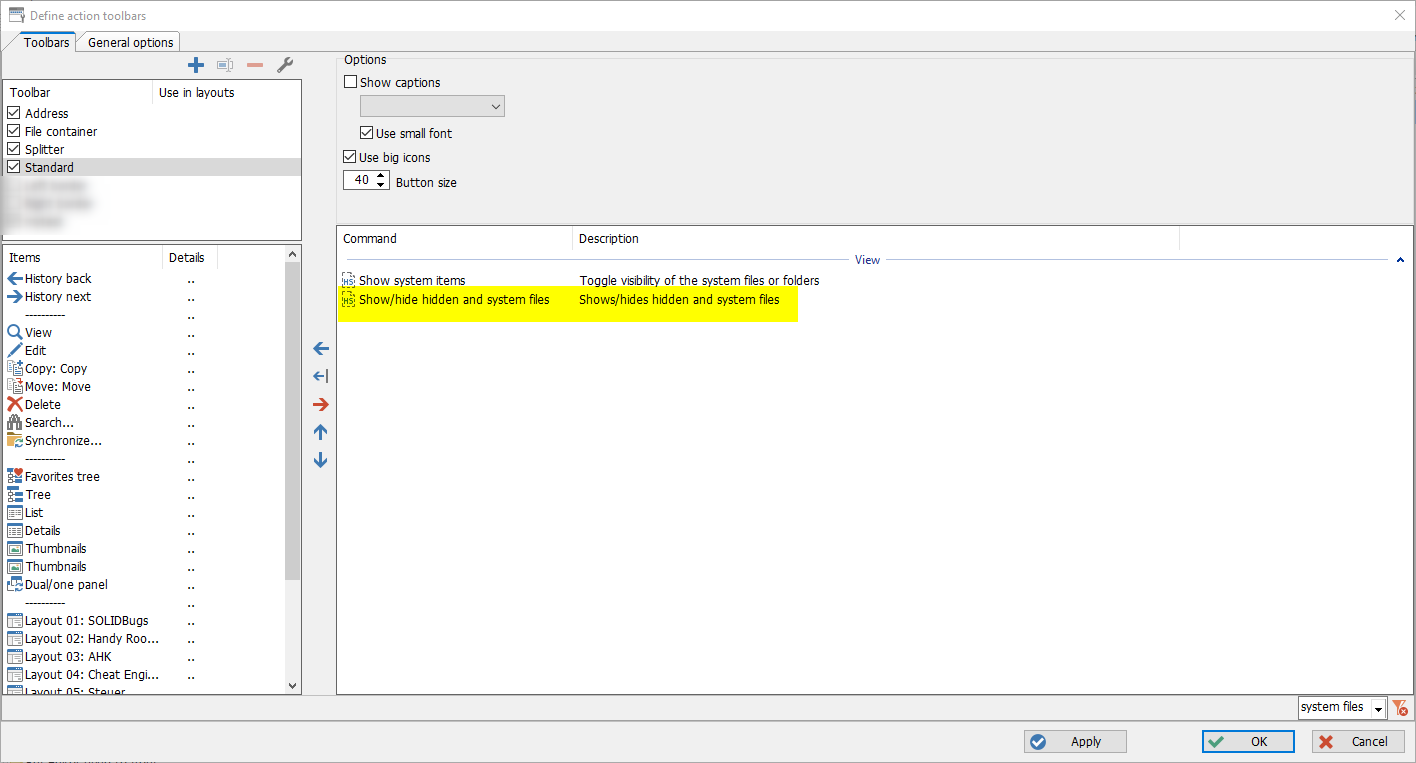
ATM hidden files like eg. desktop.ini and System Volume Information Folder are shown which is OK, but I also want an option to hide them.
Cheers
Last edited by navigat0r (2026-04-10 19:33:10)
Win10/11
Offline
#2 2026-04-11 04:47:26
Re: Toolbar Button: toggle hidden/system files/folders visibility
Currently JM has a "Show hidden files" command that can be assigned to a button/hotkey.
There are options:
add "Show system files" command
add "Show hidden/system files" command
add both
Offline
#3 2026-04-12 09:43:41
- navigat0r
- Member
- Registered: 2013-02-13
- Posts: 161
Re: Toolbar Button: toggle hidden/system files/folders visibility
thanks, I didn't think of that.
I. I only see one command "Show hidden files" using Microsoft Windows [Version 10.0.26200.6584]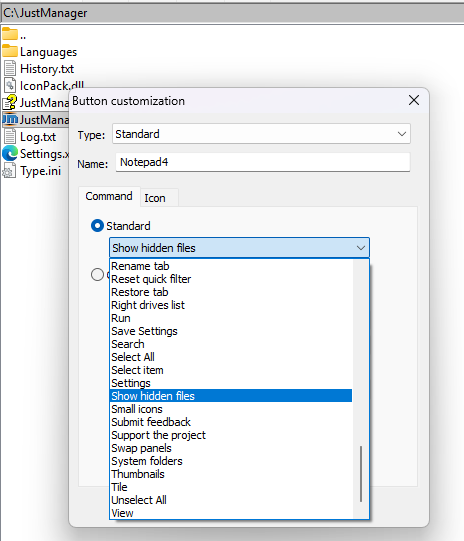
II. After adding and executing the command the ".." is removed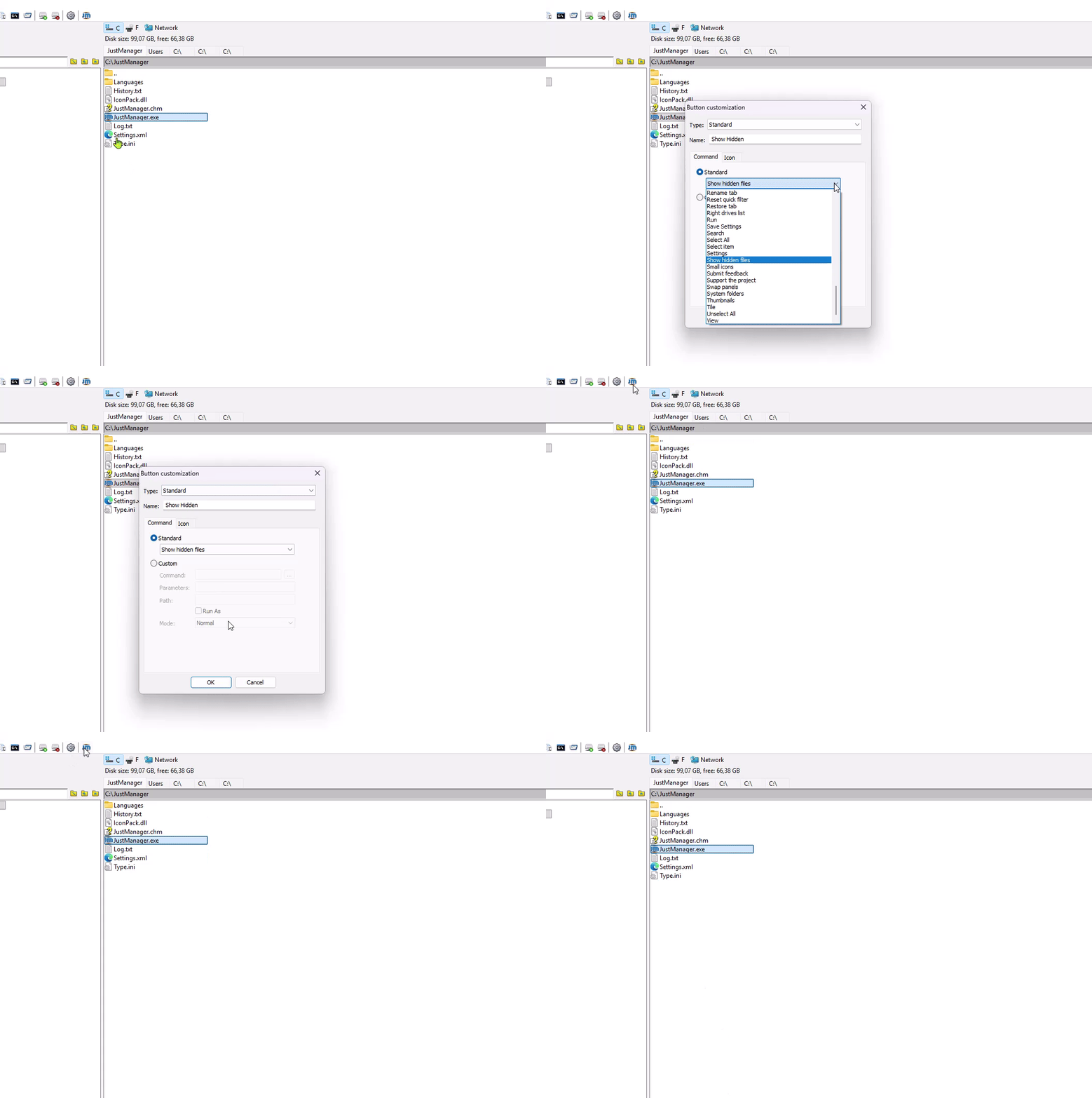
-> this is not expected!
III. Add pressed state: after pressing the button the icon should represent that as pressed state
Win10/11
Offline
#4 2026-04-12 10:46:21
- navigat0r
- Member
- Registered: 2013-02-13
- Posts: 161
Re: Toolbar Button: toggle hidden/system files/folders visibility
having a toggle state for Quick Viewer (on/off) makes also sense when adding it to the toolbar: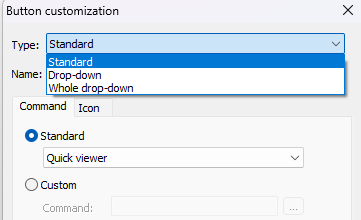
Win10/11
Offline
#5 2026-04-13 09:36:07
Re: Toolbar Button: toggle hidden/system files/folders visibility
I. I only see one command "Show hidden files" using Microsoft Windows [Version 10.0.26200.6584]
Yes, currently JM has only one "Show hidden files" command. Other commands need to be implemented. I suggested 3 options to choose from.
II. After adding and executing the command the ".." is removed
-> this is not expected!
Yes, it's a bug. Will be fixed in the next release.
III. Add pressed state: after pressing the button the icon should represent that as pressed state
having a toggle state for Quick Viewer (on/off) makes also sense when adding it to the toolbar
Currently toggle state is not supported for all such buttons. Already discussed here. Will be implemented in the future.
Offline